Keyboard shortcuts

Press or to navigate between chapters

Press S or / to search in the book

Press ? to show this help

Press Esc to hide this help

Introduction

mdt (manage markdown templates) helps library and tool maintainers keep README sections, source-doc comments, and docs-site content synchronized. Define content once in a template file, reference it from anywhere — READMEs, code comments, mdbook docs — and mdt keeps everything in sync.

The Problem

Documentation gets duplicated. Your README has installation instructions. Your library’s doc comment has the same instructions. Your mdbook repeats them again. When something changes, you update one place and forget the others. The docs drift apart, and users find conflicting information.

This happens constantly for library and tool maintainers:

  • install instructions repeated in a root README, crate README, and package docs
  • usage snippets duplicated between source-doc comments and a docs site
  • version numbers, package names, and commands scattered across multiple files
  • examples copied between markdown docs and source files

Manual synchronization doesn’t scale. Copy-pasting is error-prone. The more places the same content lives, the more likely it is to drift.

The Solution

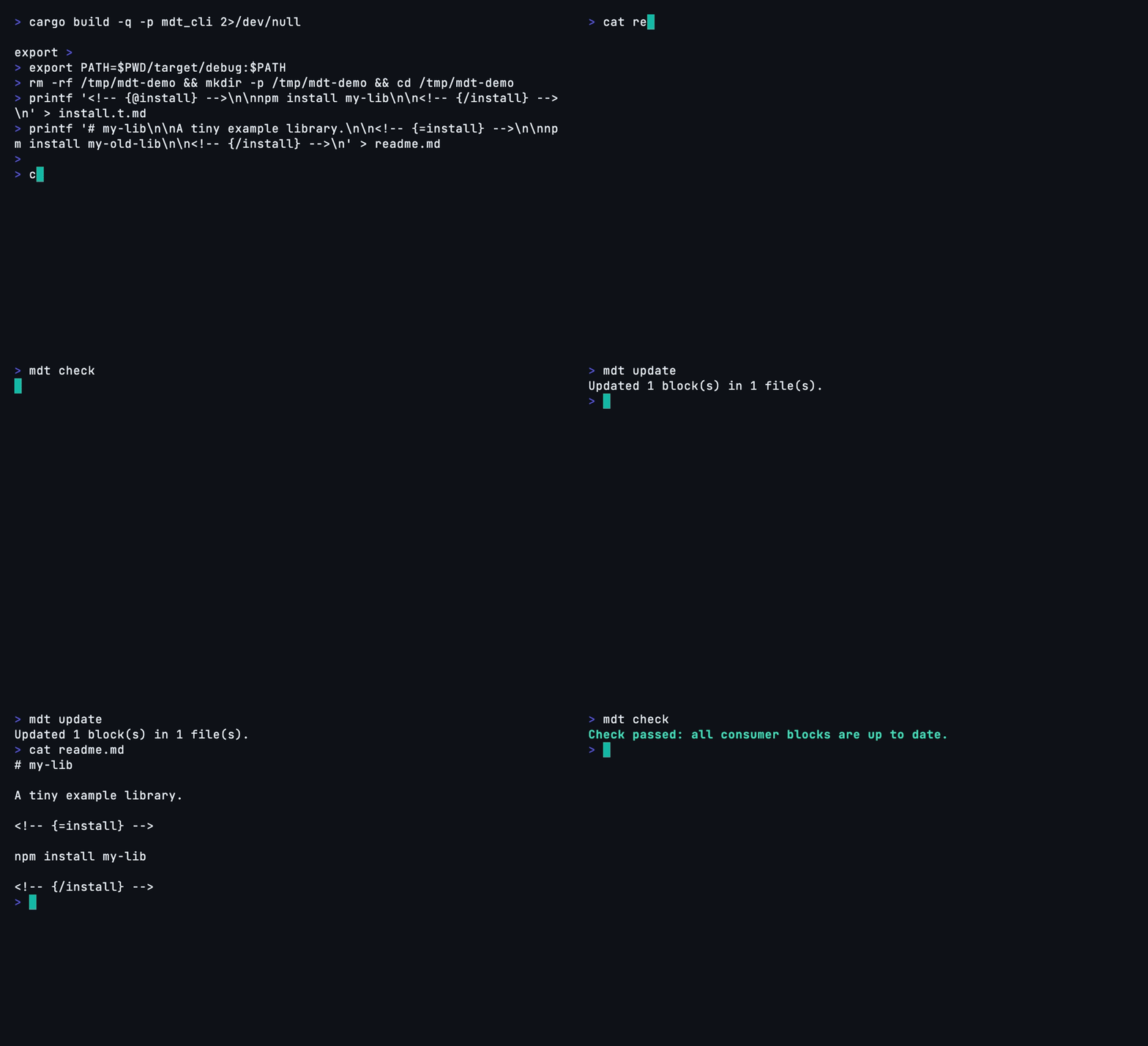
mdt uses HTML comments as invisible template tags. You define content once in a source block inside a template file (*.t.md — the “t” stands for template). Then you place target tags wherever that content should appear. Running mdt update replaces the content between target tags with the source’s content.

The Problem

You have the same install instructions in three places:

readme.md:

## Installation

npm install my-lib

src/lib.rs:

#![allow(unused)]
fn main() {
//! ## Installation
//!
//! npm install my-lib
}

docs/getting-started.md:

## Installation

npm install my-lib

You update one. The others drift. CI doesn’t catch it.

The Fix

Define it once in a *.t.md template file (the “t” stands for template):

<!-- {@install} -->

npm install my-lib

<!-- {/install} -->

Use it everywhere:

<!-- {=install} -->

(replaced automatically)

<!-- {/install} -->

Run mdt update — all three files are in sync. Run mdt check in CI — drift is caught before merge.

See It in Practice

If you want concrete adoption examples instead of abstract syntax:

  • read Proof of Value to see how this repository already keeps README content, Rust source docs, and mdBook pages synchronized
  • read Migration Walkthrough for a before/after adoption path you can copy into your own project

Key Features

  • Comment-based tags — HTML comments are invisible in rendered markdown, so your docs look clean
  • Source file support — Target tags work inside code comments too (Rust, TypeScript, Python, Go, and more)
  • Data interpolation — Pull values from package.json, Cargo.toml, or any data file into your templates using {{ variable }} syntax
  • Transformers — Pipe content through filters like trim, indent, prefix, codeBlock to adapt shared content for each context
  • CI-friendlymdt check exits non-zero when docs are stale, with JSON and GitHub Actions output formats
  • Project diagnosticsmdt info and mdt doctor provide project health, cache observability, and actionable remediation hints
  • Watch modemdt update --watch auto-syncs on file changes during development
  • Human-first editor supportmdt lsp adds diagnostics, completions, hover, and code actions in your editor
  • Agent-friendly automationmdt mcp exposes the same documentation graph to AI assistants via the Model Context Protocol